Starbucks Gift Card Rewards: How to Earn Stars Faster
A Starbucks gift card isn’t just a payment method. When you connect it to your Starbucks Rewards account, it becomes a tool to earn Stars, unlock free drinks, grab exclusive offers, and get more value from every visit. Whether you use a physical card or an e-gift card, every purchase can help you earn rewards faster.
If you’ve ever wondered how Starbucks gift card rewards work or how to maximize your Stars, this guide breaks it down in the simplest way. You’ll learn the benefits, earning rates, hidden perks, and the smartest ways to get free items quicker.and the easiest way is to use our Starbucks reward calculator.
What Are Starbucks Gift Card Rewards?
Starbucks gift card rewards are the benefits you get when you use a registered Starbucks gift card to pay for your drinks or food. Every time you use your card through the Starbucks app, you earn Stars, and these Stars turn into free items, discounts, and exclusive perks.
Here’s what you can unlock with your Starbucks gift card:
1. Earn Stars on Every Purchase
When you pay with a registered Starbucks gift card inside the app, you earn Stars automatically.
These Stars are the main currency of Starbucks Rewards.
2. Free Drinks and Food
Your Stars can be exchanged for:
More Stars = bigger rewards.
3. Birthday Reward
Every year, Starbucks gives you one free drink or food item on your birthday.
You only get this if your card is registered.
4. Exclusive Member Offers
Starbucks Rewards members get access to:
Using your gift card qualifies you for these.
5. Faster Checkout With Mobile Ordering
A registered card lets you:
This also earns extra Stars on qualifying promos.
6. Balance & Protection Benefits
Starbucks protects the balance of registered cards.
If your card is lost, stolen, or deleted, Starbucks can restore your funds.
How Starbucks Gift Card Rewards Work
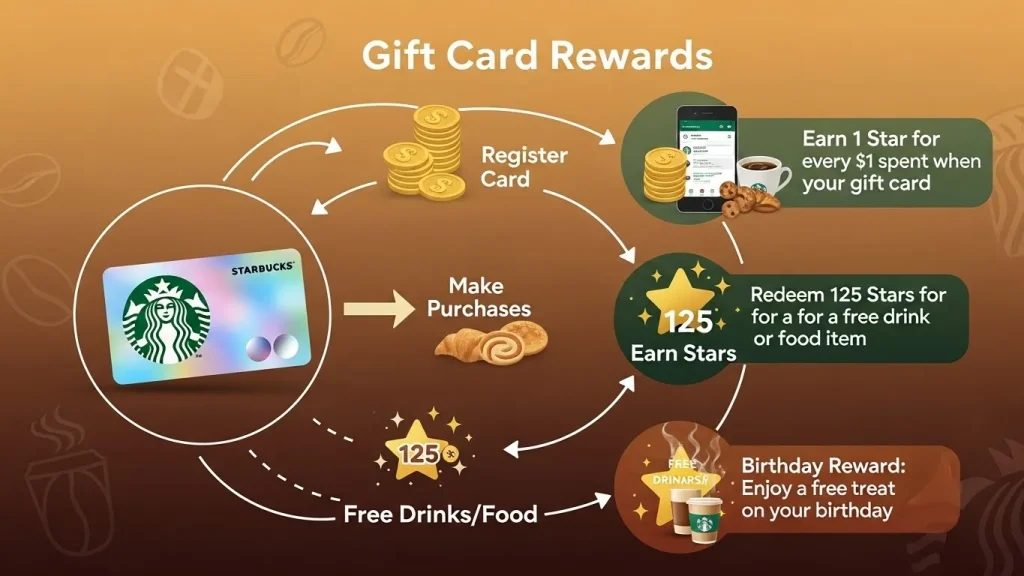
Starbucks gift card rewards are easy to understand. When you connect your gift card to your Starbucks Rewards account and use it to pay, you automatically earn Stars. These Stars build up in your account and can be exchanged for free drinks, food, and exclusive perks.
Here’s a clear breakdown of how everything works:
1. Register Your Gift Card First
To earn Stars, your card must be linked to your Starbucks Rewards account.
Once it’s registered, every purchase counts.
2. Pay With the Starbucks App
You earn Stars only when the payment goes through the Starbucks app using your:
- Physical gift card (added to app), or
- Starbucks e-gift card
This tracks your Stars accurately and instantly.
3. Starbucks Gives You Stars for Every Dollar
Every time you buy something with your gift card, you earn Stars based on how much you spend.
These Stars stay in your account until you redeem them for rewards.
4. Stars Convert Into Free Items
Once you reach a certain Star level, you can redeem them for:
- Drinks
- Food
- Bakery items
- Milk upgrades
- Starbucks merchandise
- Customizations
Each reward has its own Star cost.
5. Bonus Stars and Offers Boost Your Earnings
Starbucks often gives special promotions like:
- Double Star Days
- Bonus Stars for buying selected items
- Rewards for reloading your gift card
These help you earn free drinks much faster.
6. Your Card Balance Stays Safe
Since your card is registered, Starbucks saves your balance.
If the physical card is lost, you won’t lose your money or your Stars.
Starbucks Rewards Earning Rates

Starbucks gives you Stars every time you pay using a registered gift card through the Starbucks app. The amount you earn depends on how you pay and what promotions are active. Here’s the simple breakdown so you always know how many Stars you’re getting.
This is the fastest way to earn Stars and reach rewards quickly.
1. Earn 2 Stars per $1 (Best Rate)
You earn 2 Stars per $1 when you pay with:
- A Starbucks gift card added to your app
- A Starbucks e-gift card added to your app
- Your Starbucks app balance (reloaded from your gift card)
Example:
Spend $5 with your registered gift card → Earn 10 Stars
2. Earn 1 Star per $1 with Debit/Credit Cards
If you pay directly with:
- Debit card
- Credit card
- PayPal
- Apple Pay / Google Pay
You earn 1 Star per $1 instead of 2.
Important:
If you reload your gift card using these methods, you still get 2 Stars per $1 only when you pay with the gift card, not when you reload.
3. Bonus Stars Offers
You can earn extra Stars from promotions such as:
- Double Star Days → 4 Stars per $1
- Item-specific bonuses → Buy X item, earn 20–40 bonus Stars
- Challenges → Visit 3 times this week, earn 60 bonus Stars
- Reload bonuses → Reload $25, get 25 bonus Stars
These offers help you earn free rewards faster.
4. Auto Reload Doesn’t Give Extra Stars
Reloading your card does NOT earn Stars.
Stars come only when you make a purchase using your registered card
5. Expiration Rules
- Stars from purchases expire after 6 months
- Bonus Stars may have shorter expiry dates (shown in offer details)
Using your card regularly helps keep your Star balance fresh.
Starbucks Rewards Redemption Tiers
Starbucks uses a tier system for redeeming Stars. Each tier requires a certain number of Stars and gives you access to different free items. The more Stars you collect, the bigger the reward you can redeem.
Here’s the breakdown in the simplest way possible:
⭐ 25 Stars – Customizations
You can get small upgrades for free:
- Extra espresso shot
- Alternative milk (almond, oat, soy)
- Syrup flavor
- Whipped cream
Perfect when you just need a small add-on.
⭐ 100 Stars – Brewed Coffee & Bakery
Redeem for:
- Hot brewed coffee
- Iced coffee
- Bakery items (croissants, muffins, bagels)
Great for daily coffee drinkers.
⭐ 200 Stars – Handcrafted Drinks & Breakfast
You can get:
- Lattes, Frappuccinos, Macchiatos
- Cold brew, Refreshers, matcha
- Breakfast sandwiches
This is the most popular redemption tier.
⭐ 300 Stars – Salads, Lunch & Protein Boxes
Redeem for larger food items:
- Protein boxes
- Lunch sandwiches
- Salads
- Snack boxes
Good when you want a full meal.
⭐ 400 Stars – Merchandise & Reusable Cups
Get higher-value items like:
- Starbucks cups
- Tumblers
- Reusable mugs
- Water bottles
This is the highest tier and best for collectors.
Extra Notes
- You can redeem Stars in-store or through the Starbucks app.
- You can redeem one reward per order.
- Stars cannot be combined from different regions (US/UK/PH, etc.).
How to Redeem and Use Your Starbucks Stars
Redeeming Stars is easy. Once you earn enough Stars in your Starbucks Rewards account, you can use them to get free drinks, food, or upgrades. Here’s the simplest guide to using your Stars without confusion.
1. Redeem Stars in the Starbucks App (Easiest Method)
Steps
- Open the Starbucks app
- Choose Order or Scan
- Pick the item you want
- If the item is eligible for rewards, you’ll see a “Redeem Rewards” button
- Select the tier (25, 100, 200, 300, or 400 Stars)
- Confirm your order
The discount will be applied instantly, and your Star balance will update automatically.
Tip:
You can redeem rewards during mobile order OR at the counter — both work the same.
2. Redeem Stars In-Store at the Counter
Steps
- Tell the barista:
“I’d like to redeem Stars for this item.” - Show your Starbucks app barcode
- They will apply your reward to the qualifying item
- You’ll get your free drink or food right away
Good to know:
You must use the app to redeem Stars. You cannot redeem Stars using a physical card alone.
3. Redeem Stars at the Drive-Thru
Steps
- Tell the speaker:
“I want to use my Stars for this order.” - The barista will check your eligible items
- Show your app barcode at the window
- They will apply the reward before finalizing your order
Drive-thru redemptions work exactly the same as in-store.
4. Redeem Stars Based on Tier (Quick Guide)
- 25 Stars: Add-ons like syrups, extra shots, milk upgrades
- 100 Stars: Hot/iced coffee or bakery items
- 200 Stars: Any handcrafted drink or breakfast item
- 300 Stars: Protein boxes or lunch items
- 400 Stars: Cups, tumblers, merchandise
Choose the reward level during checkout.
5. Important Redemption Rules
1. One Reward Per Order
You can only redeem one reward at a time.
If you want multiple free items, they must be placed in separate orders.
2. Stars Work Only in Your Region
US Stars work only in the US.
UK Stars work only in the UK.
Stars cannot be transferred internationally.
3. Stars Expire After 6 Months
Use them before they expire.
The app shows expiration dates in the Rewards section.
4. Customizations are Tier-Based
Some add-ons cost 25 Stars, while full drinks cost 200 Stars.
6. Tips to Redeem Stars Smartly
How to Earn Stars Faster With Your Starbucks Gift Card
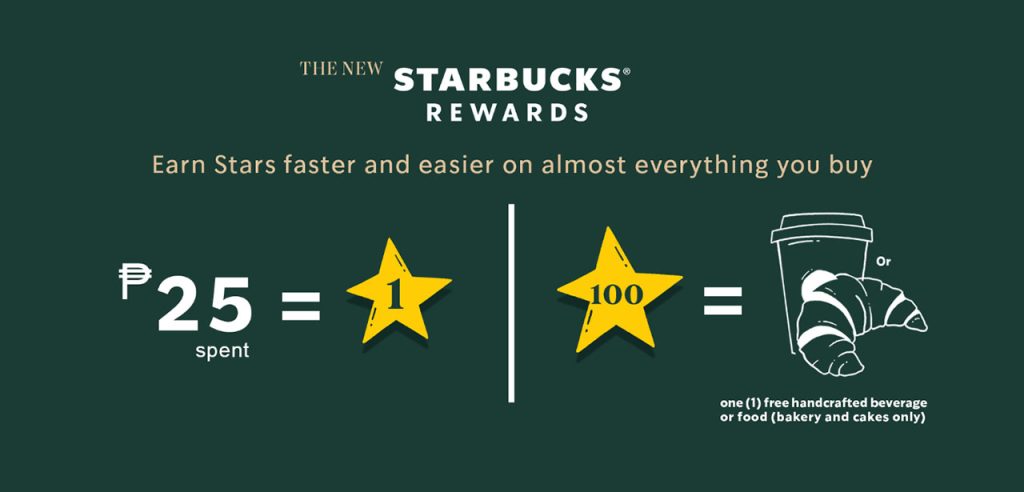
You can boost your Star earnings with a few smart habits. Here are practical ways to grow your balance quickly:
You can boost your Star earnings with a few smart habits. Here are practical ways to grow your balance quickly:
1. Always Pay Through the App
You get 2 Stars per $1 only when you pay using your app balance or registered gift card.
2. Look for Bonus Star Challenges
Starbucks regularly runs promotions like:
- “Buy 3 times this week, earn 60 Stars”
- “Order any Frappuccino, get 40 Stars”
Activate them in your app.
3. Take Advantage of Double Star Days
These events give you 4 Stars per $1 instead of 2.
4. Reload Before Buying
Reload your gift card in the app, then pay using your gift card balance for maximum Stars.
5. Order Ahead
Mobile orders often qualify for extra Stars in promos.
6. Stack Offers
You can activate multiple offers at once to earn Stars faster from the same purchase.
Common Mistakes That Make You Lose Stars
Avoid these errors to protect your rewards:
1. Not activating offers
Starbucks requires you to tap “Activate” before earning bonus Stars.
2. Paying with debit/credit at checkout
This earns only 1 Star per $1, not 2.
3. Not registering your gift card
Unregistered cards do NOT earn Stars.
4. Ignoring Star expiration
Stars expire 6 months after you earn them.
5. Using physical card instead of app
baristas can’t apply Stars from a physical card unless it’s in your app.
6. Mixing app regions
You can’t earn or redeem Stars outside your registered country.
Troubleshooting: Stars Not Showing or Not Redeeming
If your Stars aren’t appearing or you can’t use them, try these fixes:
1. Log Out and Log Back In
Refreshes your account and usually fixes syncing issues.
2. Update Your Starbucks App
Older versions often cause Star delays.
3. Check if Offer Was Activated
Many users forget this step.
4. Check Store Eligibility
Some licensed locations (airport, mall kiosks) give limited Stars.
5. Confirm You Used the Right Payment Method
Only app-based gift card payments earn full Stars.
6. Wait for Star Posting Delay
Some Stars take 24 hours to appear, especially with promotions.
7. Contact Starbucks Support
They can manually add missing Stars after verification.
Conclusion
Starbucks gift card rewards make every coffee run more valuable. Once you register your gift card, you earn Stars on every purchase, unlock bonus offers, redeem free drinks, and even protect your balance. The more you use the card through the Starbucks app, the faster your Stars grow.
Whether you’re a casual drinker or a daily coffee lover, understanding how to earn and redeem Stars helps you get the most out of every visit. With smart use and a few simple habits, your Starbucks card can turn your everyday orders into free treats, exclusive deals, and a smoother coffee experience.